TotalHeal browser extension
The extension works with the TotalHeal app to warn you before you type a password into a fake page, pay a scam shop or download something dangerous.
Available · more comingStart your 30-day trial
What it does
- Phishing and fake-login detection
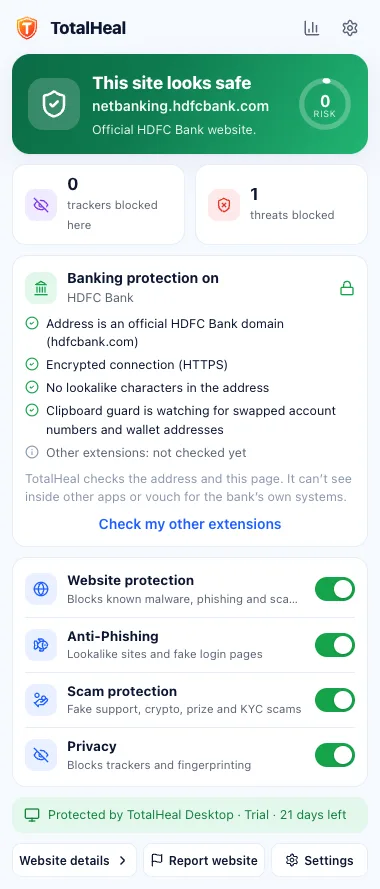
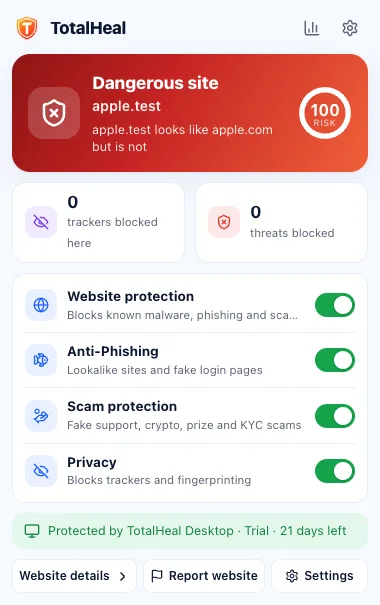
Spots login pages that copy a brand on the wrong domain, and blocks them at high confidence. - Scam warnings
Investment, crypto, fake support, KYC, delivery, refund and job scams, with plain-language advice. - Banking & payment mode
Extra checks on card, UPI and net-banking pages, including warnings about risky extensions. - Download guard
Dangerous downloads are paused and checked by the TotalHeal app before they reach your files. - Tracker blocking
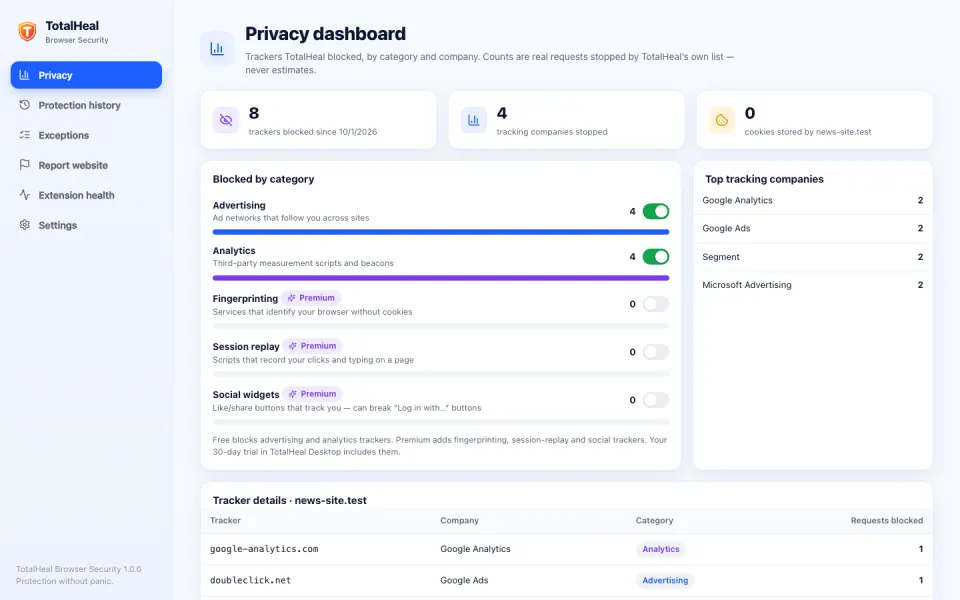
Blocks advertising, analytics and fingerprinting trackers from our own curated list. - QR and clipboard checks
Check where a QR code really goes, and get warned if a copied crypto address is swapped. - Store listings Coming soon
Chrome Web Store, Edge Add-ons and Brave first; Firefox, Opera and Vivaldi next; Safari later.
Which plans include it
Included with every plan and the 30-day trial. Without an active trial or subscription the extension shows that protection is paused — it never pretends to protect you.
Questions
Does the extension record my browsing history?
No. It keeps only the site name, the verdict and the rule that fired for sites it warned about — on your device by default. When a site needs a cloud check, only its name is sent, never the full address. It never collects a full browsing history.
Does it work without the desktop app?
No. The extension needs the TotalHeal app on the same computer with an active 30-day trial or subscription — it has no sign-in of its own. Without the app it shows that protection is paused and doesn’t check anything, so it never pretends to protect you.
What happens in private (incognito) windows?
If you allow the extension in private windows, it protects them with its local rules, but records nothing — no history, no statistics — and sends nothing for a cloud check.
More ways TotalHeal protects you
Available now
Antivirus and real-time protection
Stops malware the moment it lands — before it can run.
Learn moreAvailable now
Ransomware shield
Notices mass encryption early and alerts you.
Learn moreAvailable now
Web and download protection
Blocks phishing, scam and malware sites, and dangerous downloads.
Learn moreAvailable now
Privacy protection
See which apps can use your camera, microphone, screen and files.
Learn moreAvailable · more coming
Family protection
One plan, up to 5 devices, and a family view that respects privacy.
Learn moreAvailable · more coming
Identity protection
Check your passwords against known breaches today; breach alerts for your email are coming.
Learn more