
Family protection
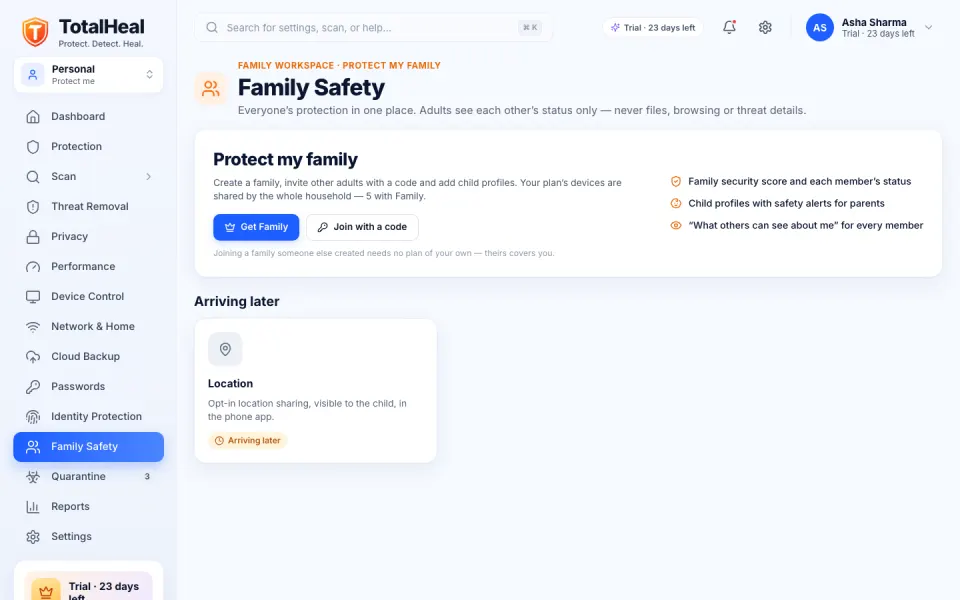
Protect everyone’s computers from one account. See at a glance which devices are protected — without spying on the adults in your home.
Available · more comingStart your 30-day trial
What it does
- Shared device seats
Family covers 5 devices, Ultimate 10. Add a computer by installing TotalHeal and signing in. - Family dashboard
Members, devices, protection status and family alerts in your TotalHeal account and the app. - Privacy between adults
Adults see only each other’s protection status — never browsing, files or locations. Everyone can see exactly what others see about them. - Safe Search for children
On a child’s device the browser extension turns on Safe Search in the major search engines. - Adult-content blocking DNS
Secure DNS in Family mode blocks adult content as well as malware on macOS and Windows, with a test that proves it works. - Parental controls Coming soon
Built and arriving in desktop 0.3.10: screen time and daily app limits, bedtime, web rules by category with age presets, Safe Search and YouTube Restricted Mode, “ask for more time” and a parent PIN that works offline. - Location Coming soon
Not built — and never faked before it ships.
Which plans include it
Family (₹1,299/year, 5 devices) and Ultimate (₹1,999/year, 10 devices).
Questions
Can I see what my partner browses?
No. Between adults TotalHeal shares only protection status (protected or needs attention, plan, device health), unless that adult chooses to share more.
Do children need their own login?
No. A child can be a family member without an account and be linked to their devices.
More ways TotalHeal protects you
Available now
Antivirus and real-time protection
Stops malware the moment it lands — before it can run.
Learn moreAvailable now
Ransomware shield
Notices mass encryption early and alerts you.
Learn moreAvailable now
Web and download protection
Blocks phishing, scam and malware sites, and dangerous downloads.
Learn moreAvailable · more coming
TotalHeal browser extension
Safety checks inside Chrome, Edge and Brave — phishing, scams, fake logins.
Learn moreAvailable now
Privacy protection
See which apps can use your camera, microphone, screen and files.
Learn moreAvailable · more coming
Identity protection
Check your passwords against known breaches today; breach alerts for your email are coming.
Learn more